![logo cobrowse purple.svg]](https://support.cobrowse.io/hubfs/logo%20cobrowse%20purple.svg)
On the Cobrowse Dashboard under 'Settings > General > Annotation Tools' the available tools and colors can be configured.
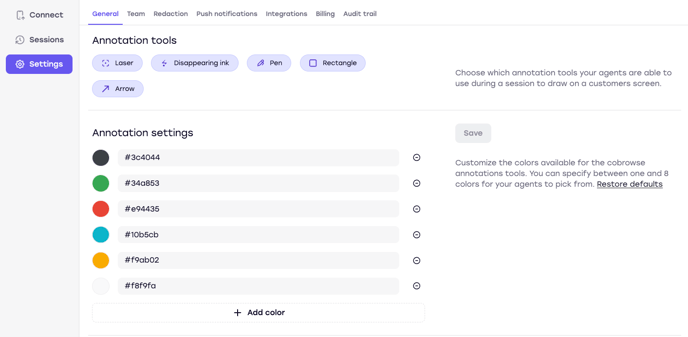
The following annotation tools are available and can be made available or unavailable by clicking on them:
- Laser
- Disappearing Ink
- Pen
- Rectangle
- Arrow
The available colors can also be changed here. You can always restore to the default settings by clicking on the "Restore defaults" link on the right sidebar.